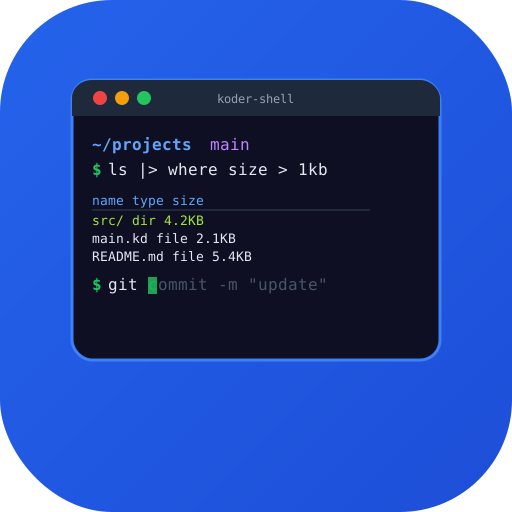
A next-generation interactive shell built in Koder Lang that treats data as structured objects instead of plain text. Features intelligent autocompletion, inline syntax highlighting, pipeline type checking, and a modern scripting language that replaces bash, zsh, and fish.
# Structured pipelines — no more text parsing ls | where size > 1mb | sort modified | first 10 # Type-safe variables and functions fn deploy(env: string, version: string) { let image = `app:${version}` docker push $image kubectl set image deployment/app app=$image \ --namespace=$env } # Pattern matching on command results match (git status | .branch) { "main" => print("on main branch") b => print(`on branch: ${b}`) }
Everything you need, built from the ground up.
Pipe structured objects (tables, records, lists) between commands instead of parsing raw text. Filter, sort, and transform data with type-safe operations.
Context-aware completions for commands, flags, file paths, git branches, environment variables, and even remote hosts — powered by real-time parsing.
Full syntax highlighting as you type, with error detection for invalid commands, missing files, and incorrect flag usage before you hit Enter.
First-class functions, pattern matching, error handling with Result types, and async/await — no more cryptic bash syntax or quoting nightmares.
Run existing shell scripts unmodified. Koder Shell includes a POSIX sh compatibility layer that handles legacy scripts while you gradually migrate.
Native support for Linux, macOS, and Windows. Same shell, same scripts, same experience everywhere — no more platform-specific hacks.
Work with data as typed tables and records, not raw text strings.
# Process JSON API responses naturally http get "https://api.example.com/users" | where role == "admin" | select name email last_login | sort last_login --desc | to csv # System info as structured data sys | get cpu | where usage > 80
No more silent failures. Every command returns a typed Result you can inspect.
# Errors are first-class values let result = try { cp "important.db" "/backup/" } match result { Ok(f) => print(`Copied ${f.size} bytes`) Err(e) => { print(`Failed: ${e.message}`) notify "Backup failed" --urgency high } }
See how Koder Shell stacks up against the competition.
| Feature | Koder Shell | zsh | fish | nushell |
|---|---|---|---|---|
| Structured data pipelines | ✓ | — | — | ✓ |
| Inline syntax highlighting | ✓ | Partial | ✓ | ✓ |
| POSIX compatibility | ✓ | ✓ | — | — |
| Type-safe scripting | ✓ | — | — | ✓ |
| Pattern matching | ✓ | — | — | Partial |
| Cross-platform native | ✓ | — | — | ✓ |
| Intelligent autocompletion | ✓ | Partial | ✓ | ✓ |
| Async/await support | ✓ | — | — | — |
Yes. Koder Shell includes a POSIX sh compatibility layer that runs bash and sh scripts unmodified. You can gradually migrate scripts to the modern syntax at your own pace.
Koder Shell shares nushell's philosophy of structured data pipelines but adds POSIX compatibility, async/await, pattern matching, and a richer type system. It's designed as a daily-driver shell, not just a data processing tool.
Koder Shell has its own plugin system, but it includes a zsh compatibility shim for popular plugins like syntax highlighting and autosuggestions. A migration guide is available for converting custom zsh functions.
Koder Shell starts in under 10ms and renders completions in under 5ms. It's compiled with Koder Lang's native backend, so there's no interpreter overhead. Prompt rendering is faster than zsh with Oh My Zsh.
Yes. Koder Shell runs natively on Windows (not through WSL), with full support for Windows paths, PowerShell interop, and CMD compatibility. The same scripts work on Linux, macOS, and Windows.
The Shell, Reimagined